🔰 BEGINNER LEVEL: Video Systems Overview
When and Why to Add Video
Legal warning first: In most jurisdictions, displaying video in the driver's field of view while moving is illegal. This applies to entertainment video — movies, TV, games. It does NOT typically apply to: - Backup cameras (required in new vehicles by law) - Navigation maps - Safety cameras (360° surround view, blind spot display)
Check your local laws. Install video content screens in rear-only positions for rear passengers. Never compromise safety.
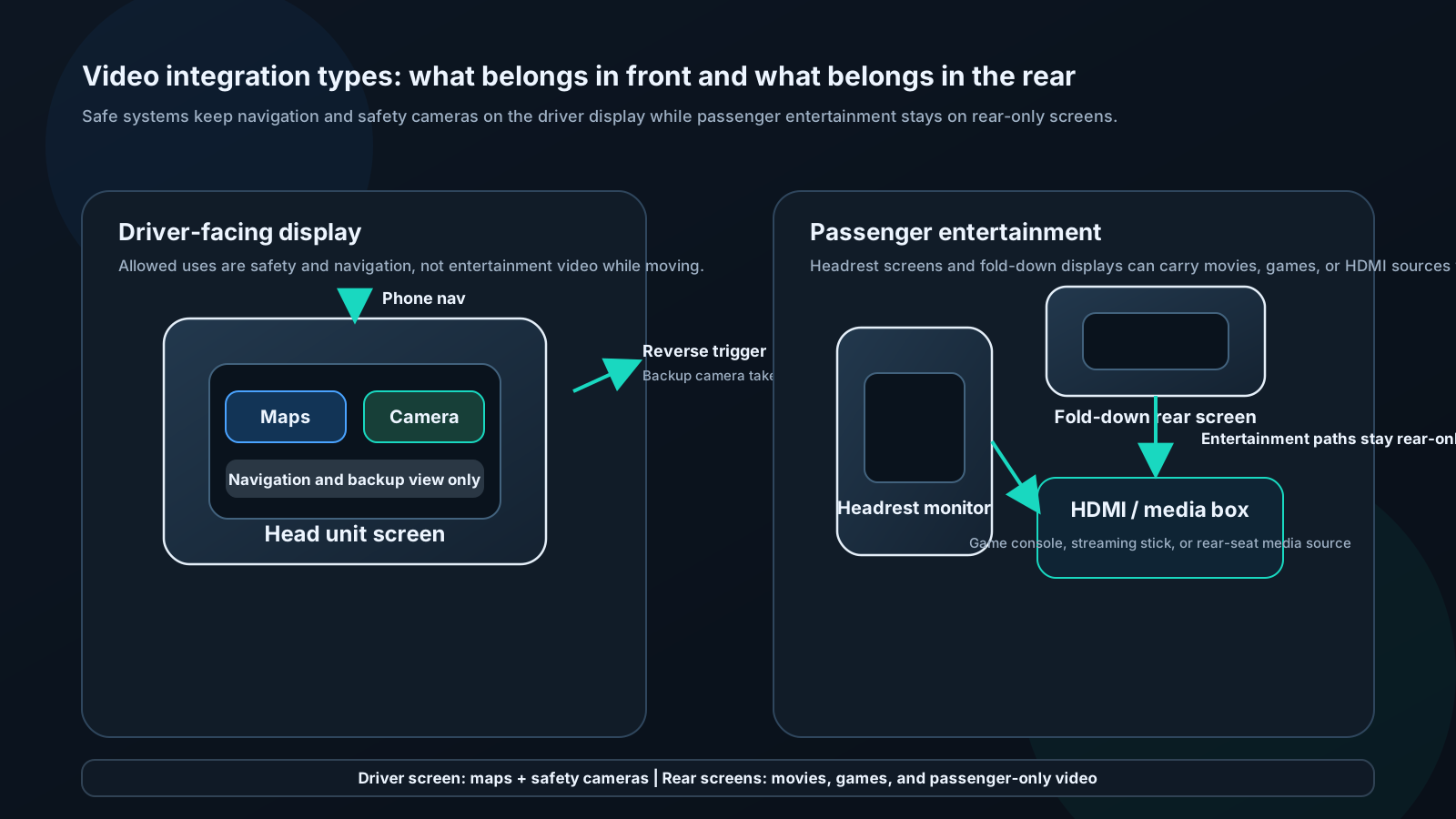
Common video integration scenarios:
1. Backup camera: Essential safety feature, legally required in US vehicles since 2018. Head unit displays feed when reverse engaged.
2. Rear entertainment: Separate screens in rear headrests or drop-down from roof. DVD, HDMI input, wireless screen mirroring from passenger phones.
3. Navigation display: CarPlay/Android Auto maps on head unit touchscreen. Driver-facing, legal because it's navigation.
4. 360° surround view: Multiple cameras (front, rear, sides) composited into bird's-eye view. Premium OEM feature, rare in aftermarket but available.
Backup Camera Installation
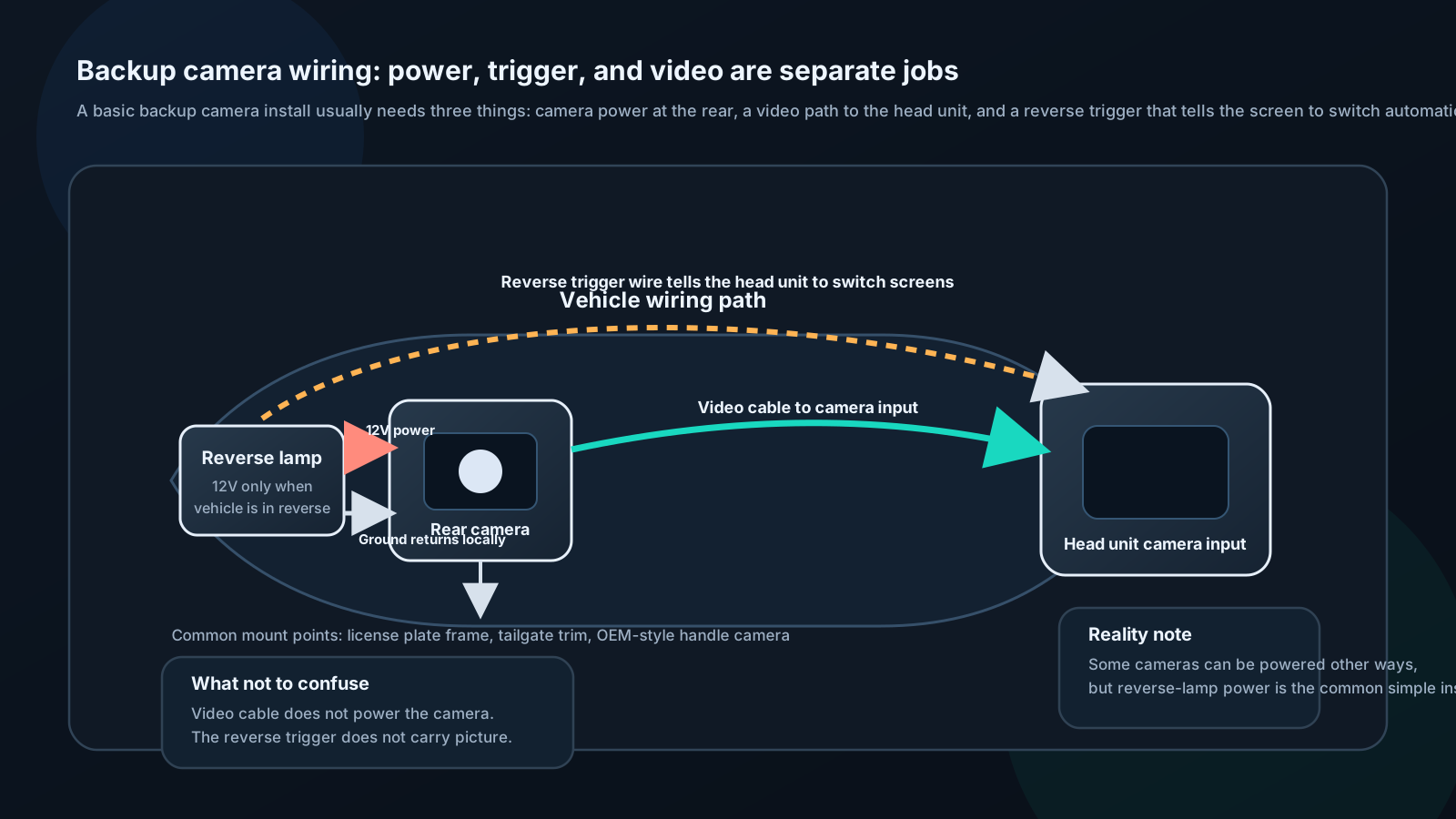
Components needed:
- Backup camera (license plate, bracket-mount, or OEM-style flush mount)
- Head unit with camera input (RCA composite video input triggered by reverse)
- Power wire to camera (12V source, triggered by reverse light circuit)
- Video cable (RCA composite video, typically yellow RCA)
Trigger wire:
Head unit has a "camera trigger" input (often orange/white or labeled "REVERSE"). Connect this wire to the vehicle's reverse light circuit. When reverse is selected, 12V appears on this wire, head unit automatically switches to camera view.
Alternatively: Many head units auto-detect a camera signal appearing on the camera input and switch automatically.
Camera types:
- NTSC: North American standard, 480i
- AHD (Analog High Definition): 720p or 1080p, requires AHD-compatible head unit input
- CMOS vs CCD: CMOS cheaper, CCD better low-light performance
Guidelines for mounting:
- Aim camera slightly downward (15–30°) to see immediate behind-vehicle area
- Night vision (IR LEDs) important for dark driveways
- Wide angle (130–170°) captures blind spot on both sides
- Waterproof rating: IP67 minimum
Rear Entertainment Systems
Headrest monitors:
Replace factory headrests with units containing screens. Screens typically 9–13 inches. Fed from head unit's rear AV output or dedicated DVD player.
Overhead/drop-down monitors:
Flip-down from roof lining between front and rear. Larger screens (13–17"). Popular in minivans and SUVs. Requires professional installation for clean wiring path.
Content sources:
- DVD/Blu-ray (built-in or external)
- HDMI input for streaming stick (Fire Stick, Roku)
- Wireless screen mirroring (Miracast/AirPlay to head unit or rear screen)
- USB video playback (head unit sends to rear screens)
Audio:
- Wireless headphones (FM transmitter or infrared)
- Wired headphone jacks
- Vehicle speaker routing via head unit