🔰 BEGINNER LEVEL: Wireless Connectivity Basics
Bluetooth Audio: How It Actually Works
Bluetooth in your car isn't just "wireless sound." It's a complex protocol with multiple profiles, codecs, and versions that drastically affect audio quality.
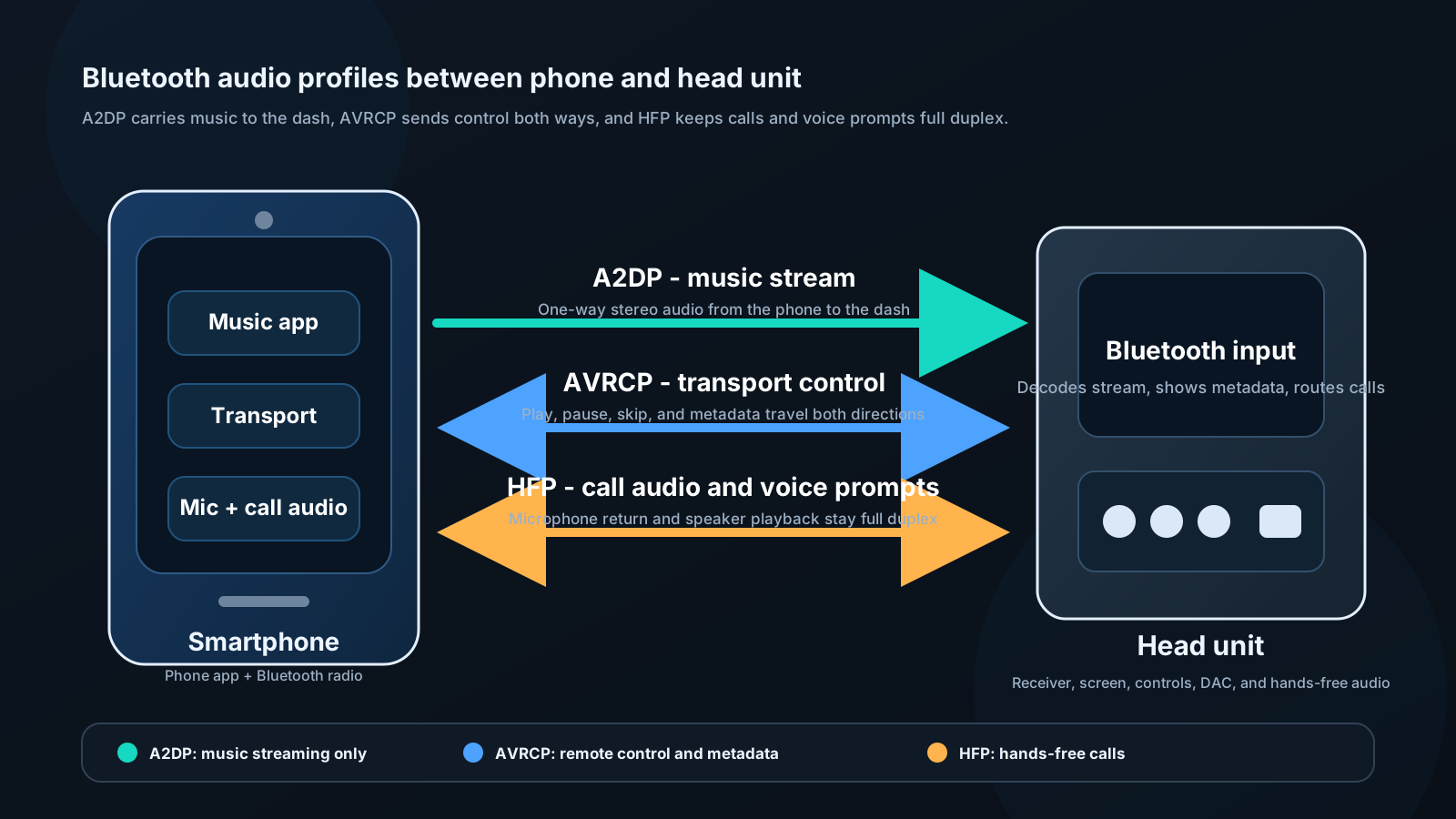
Bluetooth profiles relevant to audio:
A2DP (Advanced Audio Distribution Profile): One-way high-quality audio streaming. This is what you use to play music. Without A2DP, you can make calls but not stream music.
AVRCP (Audio Video Remote Control Profile): Allows the head unit to control your phone's media player — play, pause, skip, display track metadata. Without AVRCP, you'd need to control playback from your phone.
HFP (Hands-Free Profile): Phone calls through car speakers and microphone. Essential for safe calling.
HSP (Headset Profile): Older, simpler call profile. Inferior to HFP. Rare in modern equipment.
Audio Codecs and Quality
This is where most people don't realize there's a significant difference between "Bluetooth audio" implementations.
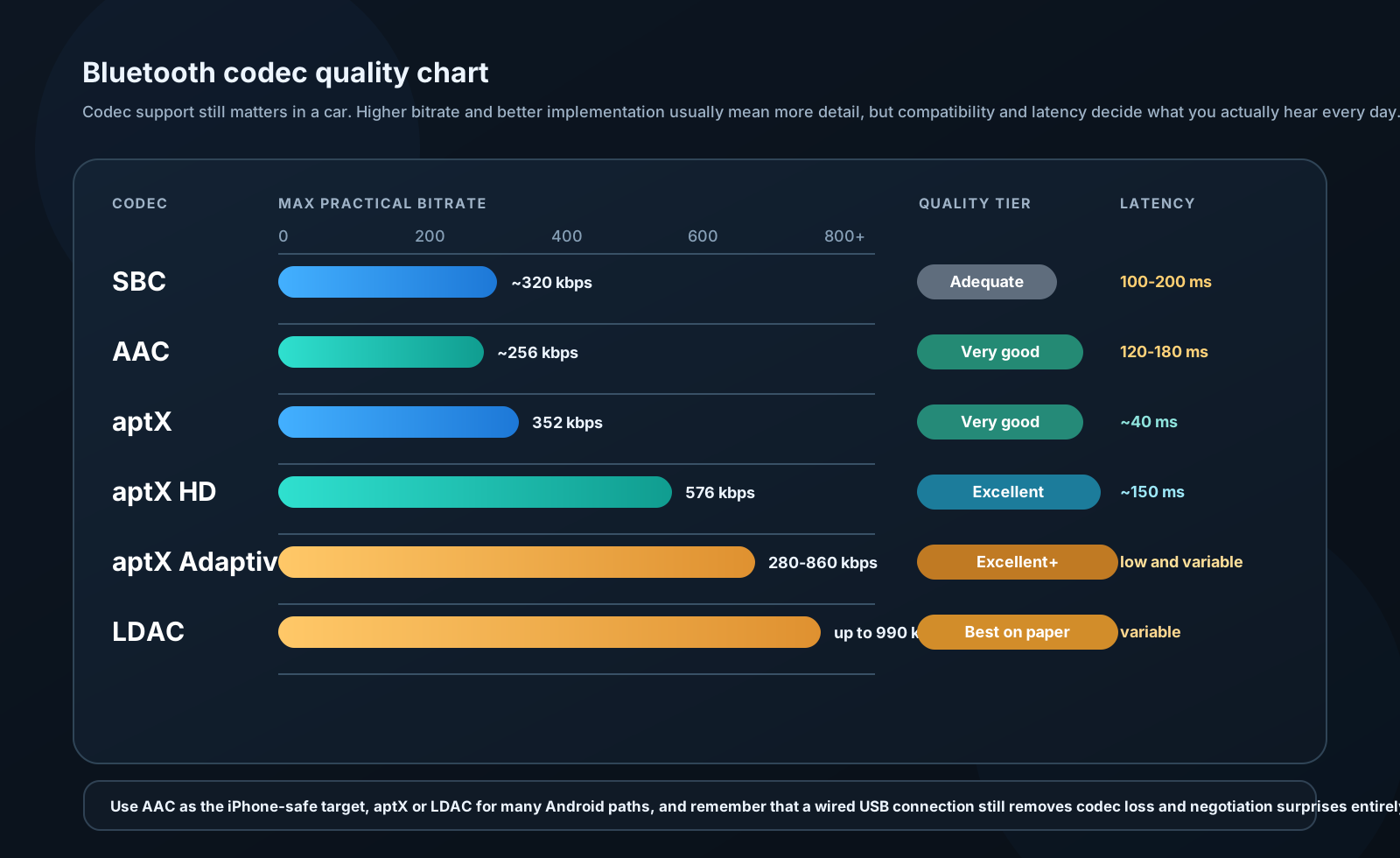
SBC (Subband Coding): Mandatory codec — every Bluetooth device must support it. Quality: Adequate but compressed. Typical bitrate: 320 kbps. Latency: 100–200 ms. This is the fallback when nothing better is available.
AAC (Advanced Audio Coding): Optional but supported by most Apple devices. Quality: Better than SBC. Apple uses AAC internally in iTunes/Apple Music. iPhone → AAC-capable head unit = near-CD quality.
aptX: Qualcomm codec. "CD-like quality" — 352 kbps, lower latency (~40 ms). Requires support on both phone AND head unit. Android devices more likely to have aptX than iPhones.
aptX HD: Higher-resolution variant. 576 kbps, 24-bit audio. Excellent quality when supported.
aptX Adaptive: Newest Qualcomm codec. Variable bitrate 280–860 kbps, adjusts to interference. Excellent quality and robustness.
LDAC: Sony codec. 990 kbps maximum, 24-bit/96 kHz capable. Used in Sony head units and headphones. Theoretically the highest quality wireless audio.
Practical takeaway:
If you use an iPhone: Prioritize AAC support in head unit selection. AAC from iPhone sounds noticeably better than SBC.
If you use Android: Look for aptX or LDAC support on both phone and head unit. Galaxy devices support aptX and LDAC.
For highest quality: Use a wired connection (USB, aux). No codec overhead, no compression.
Apple CarPlay and Android Auto
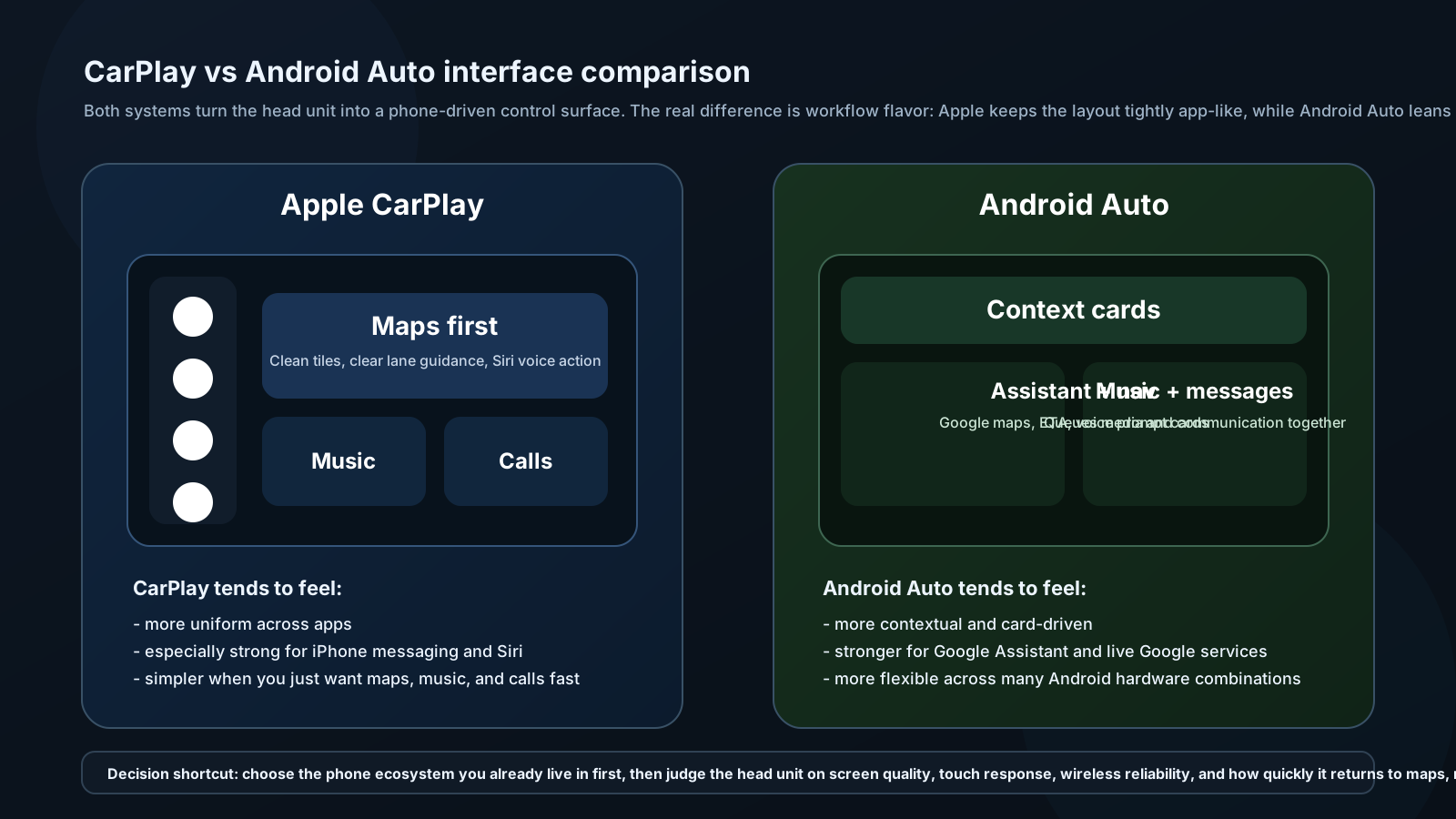
These are not just "Bluetooth with extra steps." They're fundamentally different:
What happens when you connect:
- Phone connects via USB (wired) or WiFi (wireless versions)
- Phone takes over head unit display
- Head unit becomes a dumb screen and control interface
- All processing, maps, Siri/Google, apps run on phone
- Audio passes from phone to head unit as audio stream
Advantages over standalone head unit:
- Maps are always current (no update required)
- Full access to phone's music apps (Spotify, Tidal, Apple Music, Pandora)
- Siri / Google Assistant voice control — the phone's AI, not the head unit's
- Messages and calls integrated with your contacts
- Phone updates improve the interface automatically
Disadvantages:
- Requires USB cable for wired (or premium head unit for wireless)
- Display quality and responsiveness depends on head unit hardware
- Some apps not CarPlay/Android Auto compatible
- Adds heat to phone (charging + processing)
- Phone must be nearby / accessible
Wired vs Wireless CarPlay:
Wired: More reliable, charges phone, available on more head units. Wireless: More convenient, slight latency on some units, requires WiFi + Bluetooth simultaneously, heat management challenge.
Recommendation: Wired CarPlay/Android Auto for daily reliability. Wireless is a luxury feature — assess your head unit's wireless implementation before paying premium for it.