🔧 INSTALLER LEVEL: Advanced Camera and Display Systems
Multi-Camera Systems
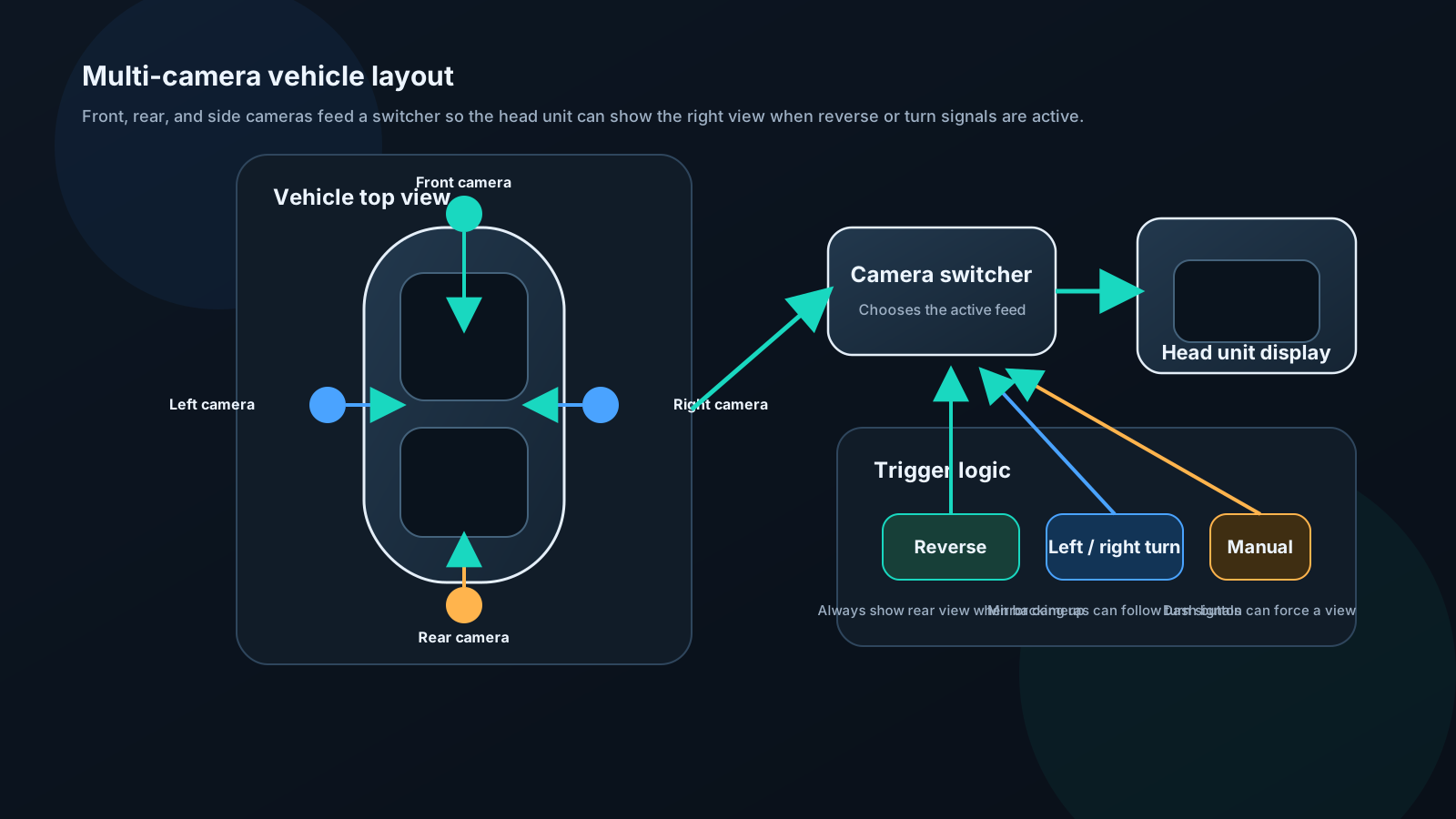
Equipment:
- Camera at each position (front, rear, left mirror, right mirror)
- Camera switch module (auto-selects based on turn signal, reverse)
- Head unit supporting multiple camera inputs or switch
Logic:
| Signal | Camera displayed |
|---|---|
| Reverse selected | Rear camera |
| Right turn signal | Right side camera |
| Left turn signal | Left side camera |
| Front hazard area | Front camera (manual) |
| Manual select | Any camera |
360° systems:
Consist of four ultra-wide cameras (each capturing ~190°). Software compositor stitches feeds into bird's-eye view. Requires specialized processor (Wavesplit, Garmin BC50, or factory OEM systems).
Resolution considerations:
Standard backup cameras: 480i composite. Acceptable for backup, poor for detail identification.
AHD cameras: 720p or 1080p. Significantly better detail. Requires compatible head unit input (most modern head units support AHD).
IP cameras (network): Highest resolution but require Ethernet or Wi-Fi — rarely used in cars.
Factory Camera Retention
In vehicles with factory backup cameras, replacing the head unit requires careful integration to preserve camera functionality.
Types of factory camera integration:
1. Direct composite video to head unit:
Older systems (pre-2015 approximately). Camera output is standard composite video. Aftermarket head unit receives the same signal on its camera input. Straightforward.
2. Camera through OEM interface module:
Many modern vehicles route camera through the infotainment module. The camera image isn't available as a simple video signal — it's processed and displayed.
Solution: Use OEM integration interface that decodes or passes through the factory camera signal.
Examples: - PAC RP5-GM31 (GM): Retains factory backup camera - Maestro ADS-MRR (multi-brand): Universal camera interface - iDatalink Maestro RR2 (various): Full OEM feature retention
3. Camera on CAN or LVDS:
Very modern vehicles send camera data over digital buses. Requires specialized interface or retention of factory head unit for camera function.
Navigation: Embedded vs Phone-Based
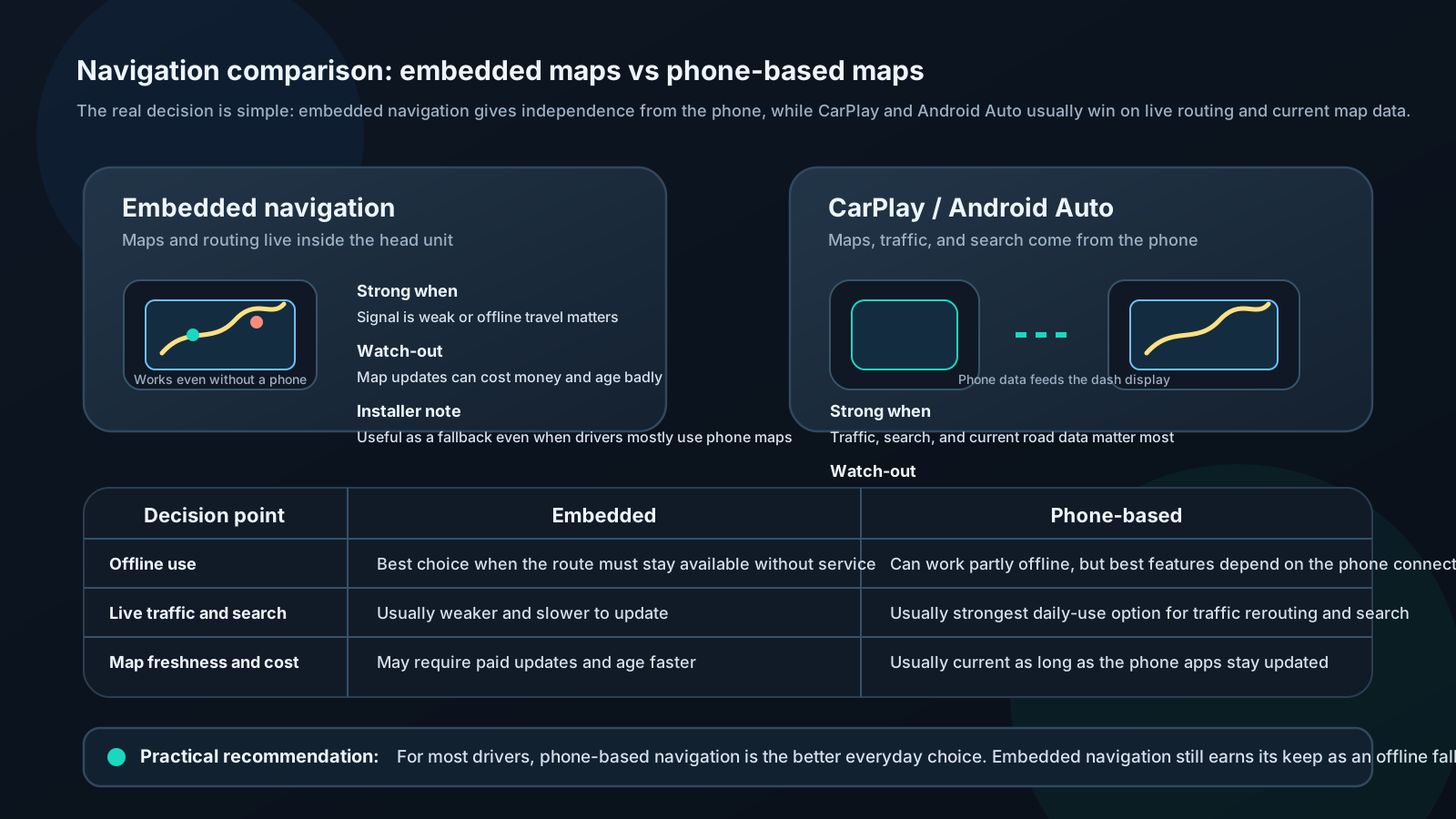
Embedded navigation (maps on head unit):
Pros: - Works without cell signal - Dedicated processor optimized for navigation - No battery drain on phone
Cons: - Maps require paid updates ($50–150/year from some brands) - Can fall behind current road data - Not as good as Google Maps or Waze for live traffic
CarPlay / Android Auto navigation:
Pros: - Google Maps, Apple Maps, Waze — excellent live traffic - Always current maps (updated on phone) - Voice integration with AI assistant - Free with app
Cons: - Requires cellular data for live traffic - Uses phone battery - Relies on cellular signal quality
Recommendation:
For most drivers: CarPlay/Android Auto with Waze or Google Maps. Dramatically better real-time traffic routing than any embedded navigation. Keep the head unit's offline maps as backup.
For remote/rural driving: Offline maps via embedded navigation or downloaded maps in Google Maps/Waze (requires planning).